Last updated · 2 min read
How to send large files by email when they're too big
“Attachment too large” is one of email's most common errors. Many providers limit messages to around 20–25 MB in total, and the recipient's server may accept even less. The fix depends on what you're sending.
Videos
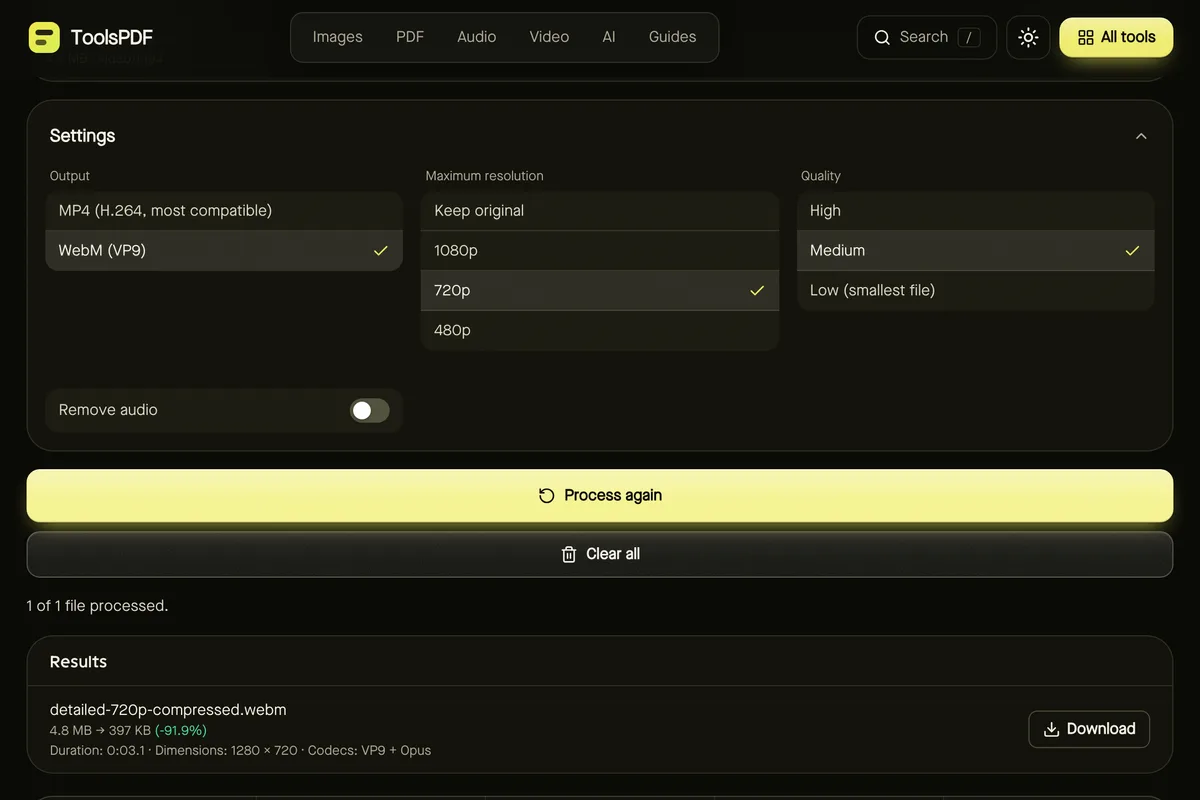
Video is usually the culprit — phones record at high resolution and bitrate. Compress video with 720p and Medium quality typically shrinks phone footage dramatically while looking fine on phones and laptops. For a short moment, a GIF may be enough; if only the sound matters, extract the audio as MP3.
More detail in how to compress a video.
Photos
A dozen phone photos can exceed the limit. Resize them to about 2000 pixels on the long side with the Bulk image resizer — still plenty for viewing and small prints — then compress at around 75–80% quality.
PDFs
- Scanned or photo-heavy PDFs: Compress PDF recompresses the images inside.
- Long documents: send only the pages needed with Split PDF, or split into parts and send several emails.
- Many small PDFs: merge them so the recipient gets one tidy file — then compress if needed.
Why zipping doesn't help much
ZIP is lossless, and JPG, MP4 and most PDFs are already compressed, so zipping them typically saves very little. ZIP is still handy for bundling many files into one attachment, but it won't rescue an oversized video. See lossy vs lossless compression.
When to share a link instead
For files that are still too big — long videos, raw photos, large archives — upload them to a cloud storage service you trust and share a link with the right permissions. Check the link works in a private browser window before sending.
Frequently asked questions
What is the attachment limit?
It varies by provider and by the recipient's server; around 20–25 MB per message is common. Check your provider's help pages for exact figures.
Will compression ruin quality?
At the suggested settings, most people won't notice on screens. Keep originals for editing or printing.
Are my files uploaded when I compress them here?
No. Compression runs in your browser.