Last updated · 2 min read
How to make a GIF from a video clip
GIFs loop automatically and play almost everywhere — chats, documents, issue trackers and slides — which makes them ideal for short reactions, product demos and step-by-step clips. The trick is keeping them short and small enough to share.
Make a GIF step by step
- Step 1: Open Video to GIF and add an MP4, MOV, WebM or MKV video.
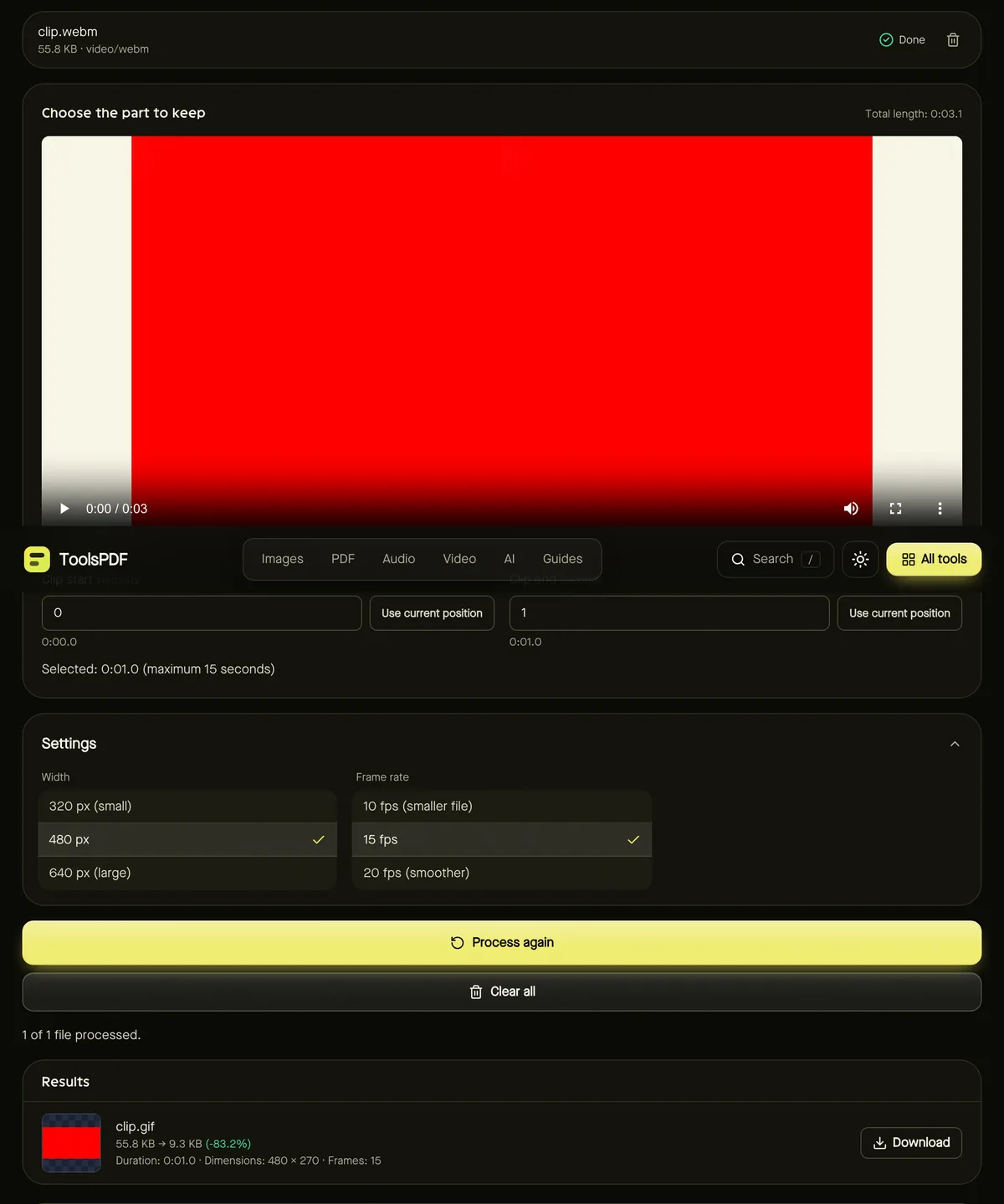
- Step 2: Use the player to find your moment, then set Clip start and Clip end (up to 15 seconds).
- Step 3: Choose a Width — 320, 480 or 640 pixels — and a Frame rate of 10, 15 or 20 fps.
- Step 4: Click Start. Progress shows as each frame is processed.
- Step 5: Download your looping GIF.
Keeping GIFs small
GIF is an old format that stores every frame as a full picture with up to 256 colours, so size grows quickly with length, width and frame rate.
| Setting | Smaller file | Smoother / sharper |
|---|---|---|
| Clip length | 2–5 seconds | Up to 15 seconds |
| Width | 320 px | 640 px |
| Frame rate | 10 fps | 20 fps |
Colour quality
Each frame gets its own 256-colour palette, chosen from that frame's colours, which keeps gradients and skin tones looking better than a single shared palette.
GIF or video?
If the platform supports video, a short MP4 or WebM is usually much smaller and sharper than a GIF. Use GIFs where autoplaying, looping images are needed, and keep longer clips as video — compress them if they're large.
Ideas for GIFs
- Software demos: show a click-through of a feature in a bug report or documentation.
- Reactions: a two-second loop from your own video for chats.
- Product shots: a short spin of a product for listings that don't accept video.
- Tutorials: one GIF per step, so each action loops until the reader has followed it.
Frequently asked questions
Why is there a 15-second limit?
GIF files grow very quickly. Short clips keep the result shareable and the conversion fast, especially on phones.
Does the GIF include sound?
No — the GIF format has no audio.
Is my video uploaded?
No. Frames are decoded and encoded in your browser.