Last updated · 2 min read
How to convert JPG to PNG — and what it can't do
Some apps, templates and print workflows ask for PNG files. Converting a JPG to PNG is easy, but it's worth knowing what the conversion does — and what it doesn't — so you're not surprised by bigger files or a background that's still there.
When converting to PNG makes sense
- An app, template or upload form specifically requires PNG.
- You're going to edit the image repeatedly and don't want each save to lose more quality.
- You'll add text or graphics on top and want those additions to stay sharp.
Convert JPG to PNG
- Step 1: Open JPG to PNG.
- Step 2: Add your JPG or JPEG files — up to 50 at once, 25 MB each.
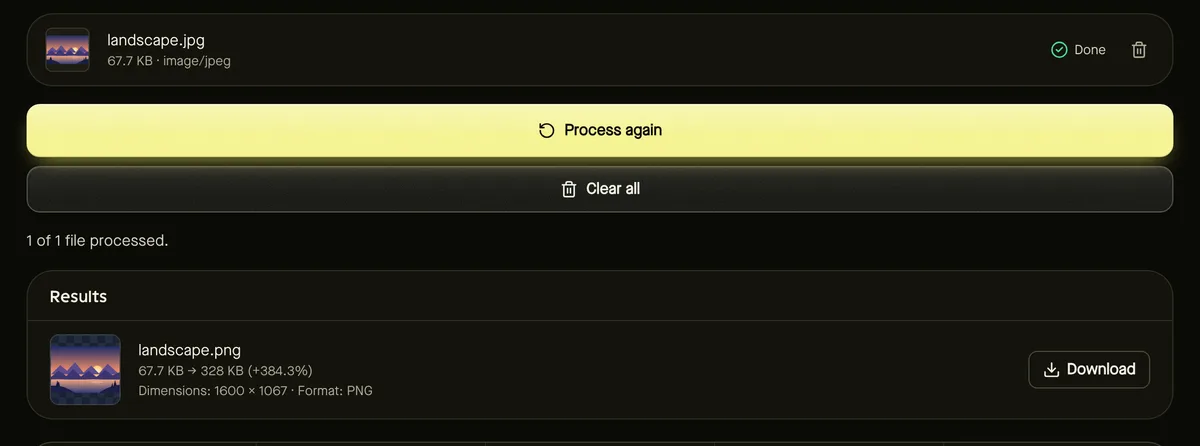
- Step 3: Click Start. There are no settings to adjust: PNG is lossless, so the image is stored exactly as decoded.
- Step 4: Download the PNG files individually or as a ZIP.
Three common misconceptions
“It will improve quality.” It won't. Any detail the JPG lost when it was first saved is gone; PNG simply preserves what's left without losing more.
“It will make the background transparent.” JPG has no transparency, so the PNG keeps the same solid background. To cut out a subject, use Remove background.
“PNG is better, so it should be smaller.” For photos, the opposite is true: PNG files are usually several times larger than the JPG. That's normal.
Keep files manageable
If the PNG is too big for where you're using it, try reducing its colours (best for graphics), or consider WebP, which supports both lossless storage and transparency in much smaller files — see image formats explained.
PNG, JPG or WebP — a quick comparison
If you're unsure whether PNG is the right target at all, this summary helps. For a deeper comparison, see PNG vs JPG: when to convert.
- JPG: smallest files for photos; lossy; no transparency.
- PNG: lossless; supports transparency; large for photos, compact for flat graphics and screenshots.
- WebP: lossy or lossless with transparency; small files; ideal for websites, but some older apps can't open it.
Frequently asked questions
Why is my PNG bigger than the JPG?
PNG is lossless, so it stores every pixel exactly. For photos that takes much more space than JPG's lossy compression.
Can I convert PNG back to JPG later?
Yes, with the PNG to JPG tool. Keep the PNG as your editing copy and export JPG at the end.
Are my files uploaded?
No. Everything happens in your browser.