Last updated · 3 min read
How to compress images without visibly losing quality
Large photos slow down websites, bounce off email attachment limits and get rejected by upload forms. The good news: most images can lose a large share of their file size before anyone can see a difference. This guide explains how image compression works, which settings to pick, and how to compress a whole batch in your browser without uploading anything.
Why images are bigger than they need to be
Phones and cameras save photos at high quality so nothing is lost while you edit. For sharing, that extra detail is mostly invisible. A JPG saved at 95% quality can often be saved again at 70–80% and look the same on a screen, while taking up far less space.
Compression works differently depending on the format. JPG and WebP use lossy compression: they throw away detail your eye is unlikely to notice, and a quality setting controls how much. PNG is lossless, so the only way to make it much smaller is to reduce the number of colours it stores.
How to compress images in your browser
- Step 1: Open the Compress image tool.
- Step 2: Drag in up to 50 JPG, PNG or WebP files (up to 25 MB each), or click Choose files.
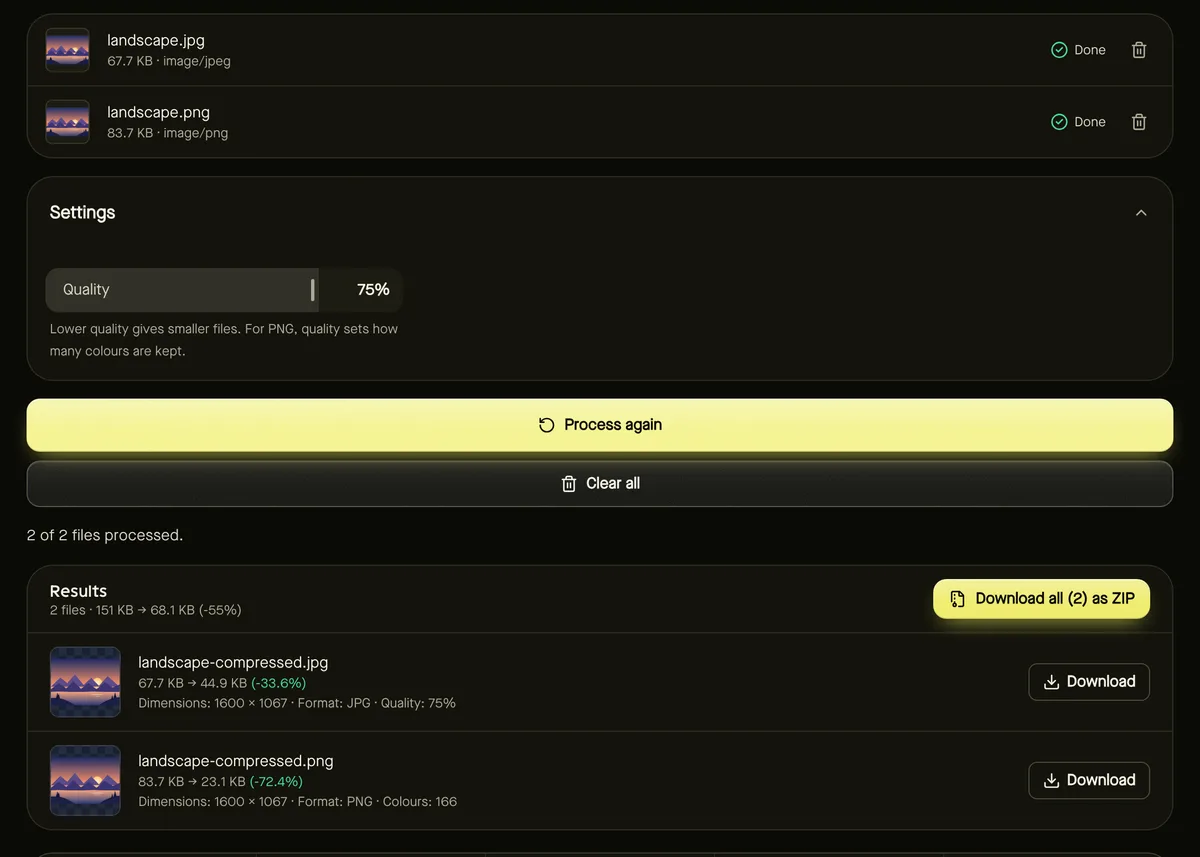
- Step 3: Set Quality. 75% is a good starting point for photos; go lower for thumbnails, higher for prints.
- Step 4: Click Start. Each file shows its real before and after size and the percentage saved.
- Step 5: Download files one by one, or all of them together as a ZIP.
Choosing the right quality setting
| Use | Suggested quality | Why |
|---|---|---|
| Website photos and blog images | 70–80% | Big savings with no visible difference at normal viewing size. |
| Email and messaging | 60–75% | Smaller files send faster and stay under attachment limits. |
| Thumbnails and previews | 50–60% | Small images hide compression artefacts well. |
| Archiving or printing | 85–95% | Keeps fine detail; savings are smaller. |
Look closely at areas with smooth gradients, such as skies, and at sharp edges like text. If you see blocky patches or halos, raise the quality a little and run it again — the tool keeps your settings.
Compressing PNG screenshots and graphics
For PNG files, the quality slider controls how many colours are kept, from 256 down to 16. Screenshots, logos, charts and illustrations usually use far fewer colours than a photo, so palette reduction can shrink them dramatically while staying crisp. Transparency is preserved.
Photos saved as PNG are a different story: they contain thousands of colours and don't reduce well. For those, converting to JPG or WebP saves far more — see PNG vs JPG: when to convert.
Privacy: what happens to your photos
Compression runs entirely in your browser, so your photos are never uploaded to a server. Compressed images are re-encoded, which also removes hidden metadata such as the camera model and GPS location — useful before posting photos publicly. Photos are turned upright using their orientation tag before that information is removed.
When compression isn't enough
- If a form demands a specific size such as 100 KB, use Reduce image size in KB, which searches for the best quality that fits.
- If the image has far more pixels than you need, resize it first. Halving the width and height cuts the pixel count by three quarters.
- For websites, consider converting to WebP, which is often smaller than JPG at similar quality.
Frequently asked questions
Does compressing an image reduce its dimensions?
No. Compression keeps the width and height the same and only changes how efficiently the pixels are stored. Use the resize tool to change dimensions.
Can I compress the same image several times?
You can, but each round of lossy compression loses a little more detail. It's better to start again from the original and choose a lower quality.
Why is my compressed PNG barely smaller?
Photos stored as PNG have too many colours for palette reduction to help much. Converting the photo to JPG or WebP usually saves far more space.