Last updated · 2 min read
PNG vs JPG: when to convert PNG to JPG (and when not to)
A single PNG photo can be several times larger than the same photo as JPG. But converting the wrong kind of PNG — a logo or a screenshot full of text — can make it look worse and barely smaller. Here's how to tell which is which.
The key difference
PNG stores every pixel exactly. That's perfect for sharp lines, text and flat colours, and it supports transparency. JPG discards fine detail to shrink files; it's superb for photos, where the loss is hard to see, but it can add fuzzy “ringing” around sharp edges and text.
| Image type | Better format | Why |
|---|---|---|
| Photos | JPG | Much smaller with no visible loss |
| Screenshots with text | PNG | Text stays crisp |
| Logos and icons | PNG (or WebP) | Sharp edges and transparency |
| Charts and diagrams | PNG | Flat colours compress well losslessly |
Convert PNG to JPG
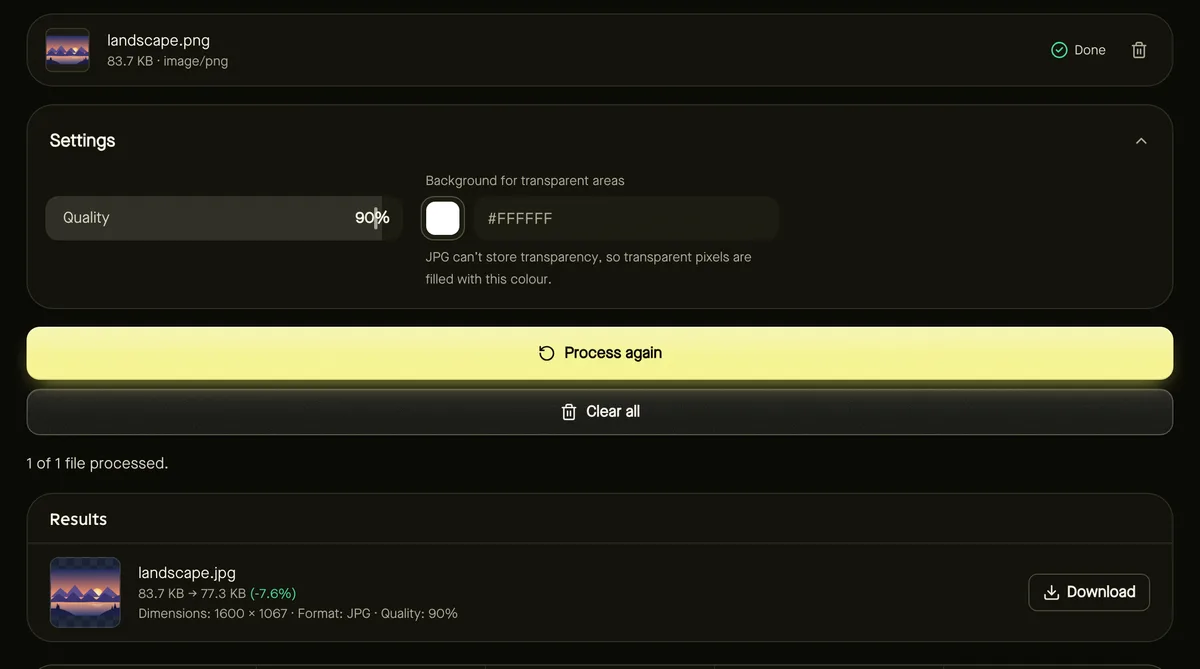
- Step 1: Open PNG to JPG and add your PNG files (up to 50).
- Step 2: Keep Quality at 90% for a near-perfect result, or lower it for smaller files.
- Step 3: Choose a Background colour for any transparent areas — white by default.
- Step 4: Click Start, then compare the before and after sizes in the results.
Transparent PNGs
JPG can't store transparency, so transparent parts are filled with your chosen background colour. That's ideal when you need a product cut-out on white for a marketplace. If you need to keep the transparency and still save space, convert to WebP instead — see converting images to WebP — or compress the PNG by reducing its colours.
Making the right call
- If the PNG is a photo and it's large: convert to JPG. Expect big savings.
- If it's a screenshot or graphic: keep PNG and compress it instead.
- Not sure? Convert and look at the results panel: if the saving is small, keep the original PNG.
Frequently asked questions
Why is my PNG so large?
It's probably a photo. PNG stores every pixel exactly, which takes far more space than JPG for photographic images.
Will text in my screenshot stay sharp as JPG?
It will look slightly softer, especially at lower quality. For text-heavy images, keep PNG.
Is anything uploaded?
No. Conversion happens in your browser.