Last updated · 2 min read
What is AVIF, and how do you convert AVIF to JPG?
AVIF is one of the newest image formats on the web. It produces impressively small files, so more and more sites serve it — which means you may save an image and find it's an .avif file your other apps don't recognise. Here's what AVIF is and how to turn it into something more familiar.
What AVIF is
AVIF (AV1 Image File Format) stores images using the AV1 video codec. For photos it typically produces smaller files than JPG and often WebP at similar quality, and it supports transparency and high dynamic range. Current versions of Chrome, Edge, Firefox and Safari can display it.
Support outside browsers is patchier: older image editors, office software and many upload forms don't accept AVIF yet.
Convert AVIF to JPG
- Step 1: Open AVIF to JPG and add your .avif files.
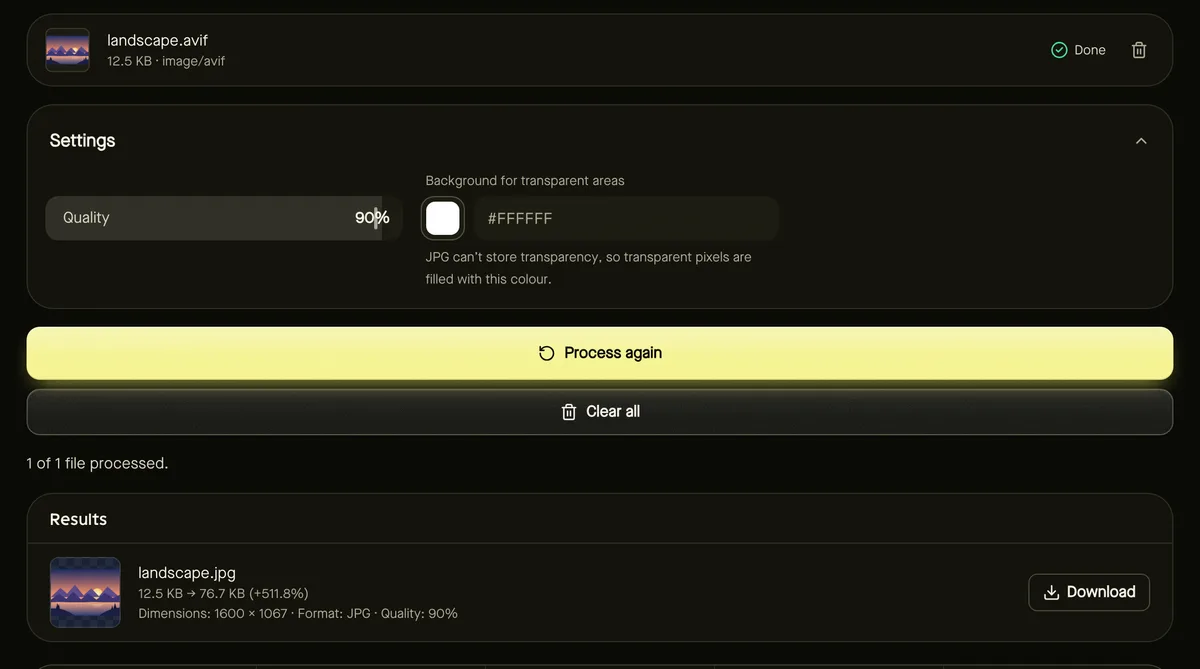
- Step 2: Choose Quality (90% by default) and a Background colour for transparent areas.
- Step 3: Click Start and download the JPG files.
To keep transparency, use Convert image and choose PNG or WebP instead.
If your browser can't open AVIF
The conversion uses your browser's built-in AVIF decoder. Current browsers all include one; on an older browser you'll see a clear message asking you to update or switch, rather than a broken file.
Should you use AVIF yourself?
- For websites: AVIF can save bandwidth, though creating it needs dedicated tools. WebP is a simpler, widely supported alternative — see converting to WebP.
- For sharing with people: JPG is still the safest choice.
- For archiving originals: keep the camera's original files; convert copies as needed.
Choosing the JPG quality
AVIF files are often very small, so a JPG of the same image will usually be larger — that's expected. The default of 90% keeps the picture looking like the original. For images you only need to share in a chat or email, 75–85% gives noticeably smaller files with little visible difference. If the JPG must fit a size limit, convert first and then use Reduce image size in KB.
Frequently asked questions
Why does the JPG come out larger than the AVIF?
AVIF compresses much more efficiently than JPG, so the same picture takes more space as JPG. That's expected.
Can I convert JPG to AVIF here?
Not at the moment — creating AVIF in the browser isn't reliable across devices yet. You can convert to WebP instead.
Is my image uploaded?
No. Conversion happens in your browser.