Last updated · 2 min read
How to convert WebP to JPG (and why you might need to)
You save an image from a website, try to upload it somewhere else, and it's rejected — or it won't open in an older editor. Chances are it's a WebP file. WebP is great for websites, but JPG still opens everywhere. Converting takes a few seconds.
What is WebP, and why won't it open?
WebP is an image format designed to make websites load faster; it usually produces smaller files than JPG at similar quality. All current browsers display it, so many sites now serve WebP automatically. The catch is outside the browser: some older software, upload forms and print services still only accept JPG or PNG.
Convert WebP to JPG step by step
- Step 1: Open WebP to JPG.
- Step 2: Add one or more WebP files — up to 50, each up to 25 MB.
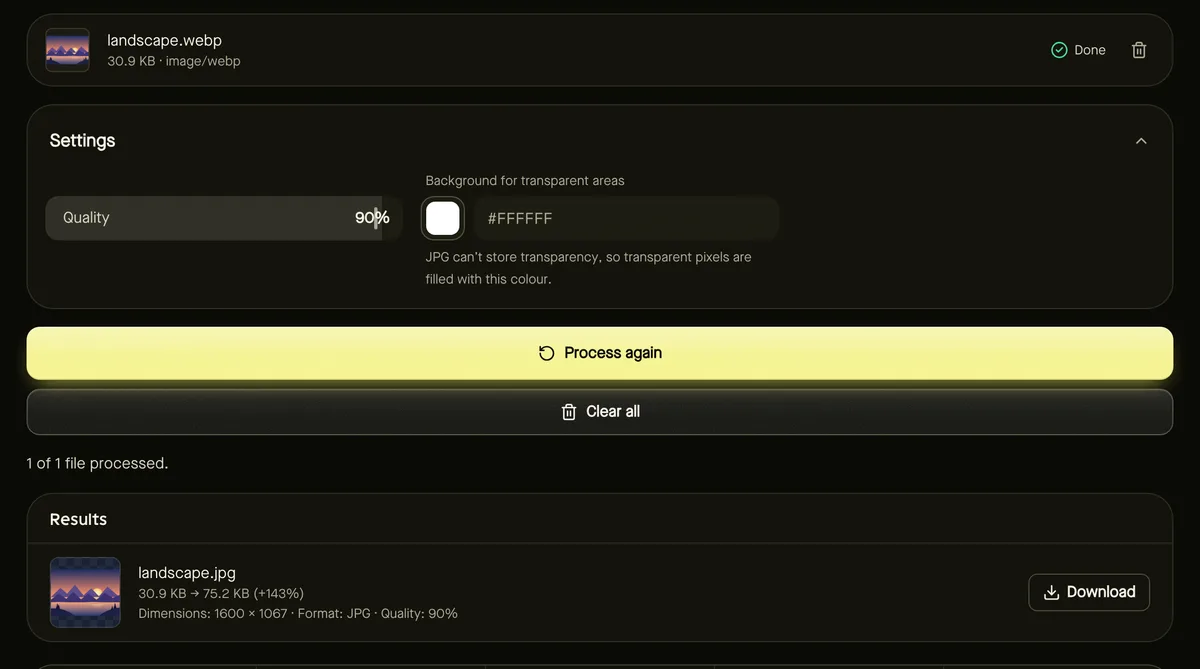
- Step 3: Optionally adjust Quality (90% is the default and looks excellent) and the Background colour for transparent areas.
- Step 4: Click Start and download your JPG files, individually or as a ZIP.
Transparent WebP images
WebP can contain transparency — think of a logo or a product cut-out. JPG can't, so those areas need a colour. White suits most documents and marketplaces; pick a colour that matches where the image will be used. If you need to keep the transparency, convert to PNG instead with Convert image.
Will the JPG be bigger?
Often a little, because WebP compresses more efficiently than JPG. That's the price of compatibility. If size matters, lower the quality slightly, or run the result through Compress image. Animated WebP files are converted as a single still image.
Going the other way
If you run a website, you may want the opposite: turning JPG and PNG into WebP to speed up your pages. See converting images to WebP for faster websites.
Frequently asked questions
Does converting WebP to JPG lose quality?
Both are lossy formats, so converting re-encodes the image. At the default 90% quality, the difference isn't visible in normal use.
Can I convert WebP to PNG instead?
Yes — use Convert image and choose PNG. PNG keeps transparency and is lossless, but files are larger.
Are my files uploaded?
No. The conversion happens in your browser.