Last updated · 2 min read
How to convert iPhone HEIC photos to JPG on any device
iPhones save photos as HEIC by default. It's an efficient format, but send those photos to a Windows PC, an Android phone or an online form and they often won't open. Converting them to JPG makes them work everywhere — and you can do it in your browser without installing anything.
What is HEIC?
HEIC (High Efficiency Image Container) stores photos using the same family of compression as modern video, so files are typically much smaller than JPG at similar quality. Apple devices handle it natively. Many other systems, websites and apps still expect JPG.
Convert HEIC to JPG
- Step 1: Open HEIC to JPG.
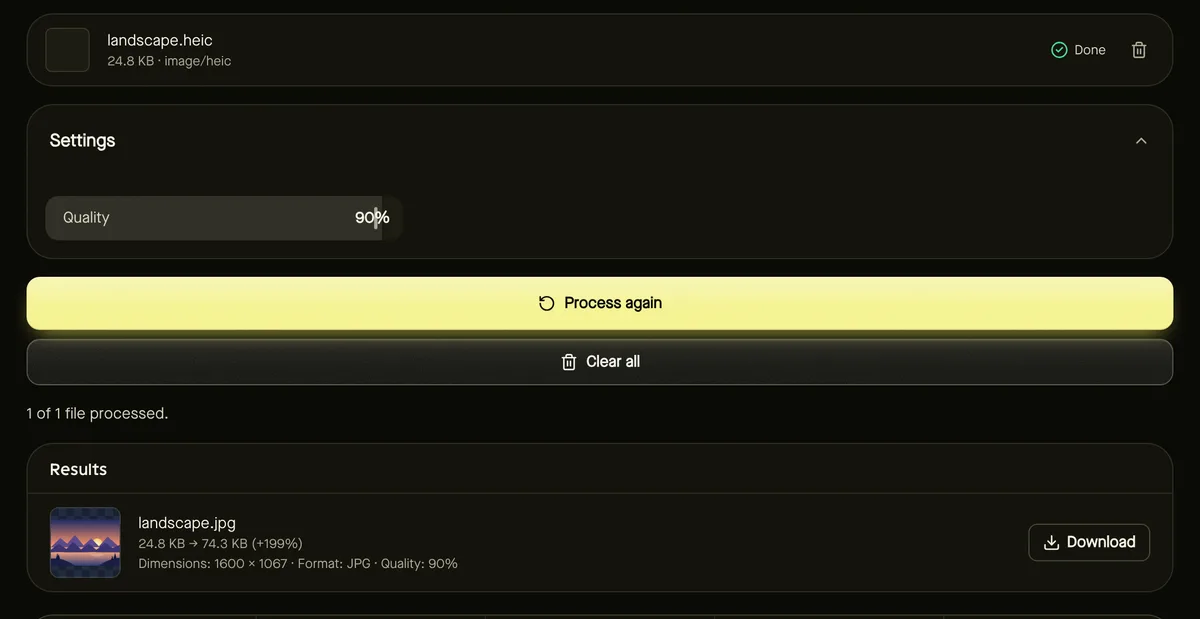
- Step 2: Add your .heic or .heif photos — up to 50 at a time, 25 MB each.
- Step 3: Adjust Quality if you like; 90% keeps photos looking their best.
- Step 4: Click Start. The first time, your browser downloads a HEIC decoder (about 2 MB) from this site.
- Step 5: Download the JPG files individually or as a ZIP.
It works the same in Chrome, Edge, Firefox and Safari, on desktop and mobile, because decoding is done by the page itself rather than relying on your operating system.
Live Photos, bursts and portrait shots
A HEIC file can hold more than one image. The tool converts the main still photo. The moving part of a Live Photo, extra burst frames and depth maps aren't included in the JPG.
Orientation and metadata
Rotation stored in the HEIC file is applied, so the JPG comes out the right way up. Other metadata — including GPS location — isn't copied, which is handy before sharing photos publicly.
Stop new photos being saved as HEIC
If you always need JPG, you can change the iPhone camera format: in Settings → Camera → Formats, choose Most Compatible. New photos are then saved as JPG, at the cost of larger files. Existing HEIC photos still need converting.
Frequently asked questions
Does converting HEIC to JPG reduce quality?
The JPG is re-encoded, but at 90% quality the difference isn't visible in normal viewing. Files will usually be larger than the HEIC.
Can I convert HEIC to PNG?
Yes — use Convert image and choose PNG. PNG is lossless but produces much larger files for photos.
Are my photos uploaded?
No. The HEIC decoder runs in your browser, and photos stay on your device.