Last updated · 2 min read
How to compress a PDF for email and upload limits
A PDF that's too big to email, or bigger than a portal's upload limit, is a common headache. Whether it shrinks depends on what's inside it. This guide explains where PDF file size comes from, how to compress one in your browser, and what to do if it won't get any smaller.
Where PDF file size comes from
Text and vector drawings take very little space. Photos and scanned pages are what make PDFs big: a single high-resolution photo can weigh several megabytes, and a scanned document is essentially one large photo per page. So PDFs full of photos or scans usually compress well, while text-only PDFs are usually already compact.
Compress a PDF step by step
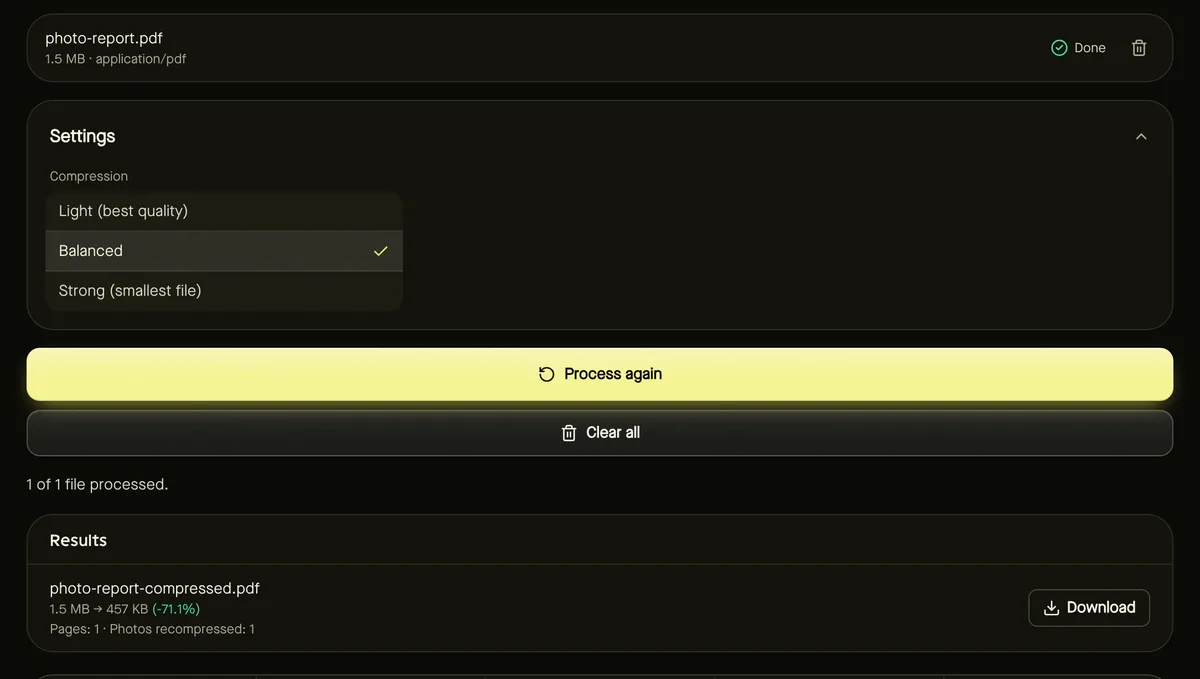
- Step 1: Open Compress PDF and add your PDF (up to 100 MB).
- Step 2: Choose a Compression level: Light, Balanced or Strong.
- Step 3: Click Start. The result shows the real before and after sizes and how many photos were recompressed.
- Step 4: Download the smaller PDF.
| Level | What it does | Use when |
|---|---|---|
| Light | Gentle recompression, keeps photos large | Quality matters most; modest savings |
| Balanced | Good quality at much smaller size | Most email and upload limits |
| Strong | Smaller photos at lower resolution | Strict limits; screen viewing only |
What stays the same
Only embedded photos are re-encoded. Text, fonts and vector graphics are left untouched, so text stays sharp, selectable and searchable. Page count, order and layout don't change, and the result is checked to be a valid PDF before you can download it.
When the PDF still won't fit
- Split it into smaller parts with Split PDF and send them separately.
- Remove pages you don't need with Organize PDF pages.
- Rebuild a scan: if you have the original images, convert them to PDF after compressing the images — often far smaller than a scanner's output.
Password-protected PDFs
Protected or encrypted PDFs are refused rather than unlocked. Open the file in a PDF app you trust, save an unprotected copy, and compress that.
Frequently asked questions
Why didn't my PDF get smaller?
It's probably mostly text or vector graphics, which are already compact. Compression saves the most on PDFs with photos or scanned pages.
Will my text still be searchable?
Yes. Only photos are re-encoded; text and fonts aren't changed.
Is my PDF uploaded?
No. Compression runs entirely in your browser.