Last updated · 2 min read
How to make a ringtone from any song or audio clip
A custom ringtone or notification sound makes your phone instantly recognisable. All you need is the audio file and a few seconds of trimming — the only tricky part is the last step, which differs between Android and iPhone.
Cut the clip
- Step 1: Open the Audio cutter and add your MP3, M4A, WAV, OGG or FLAC file.
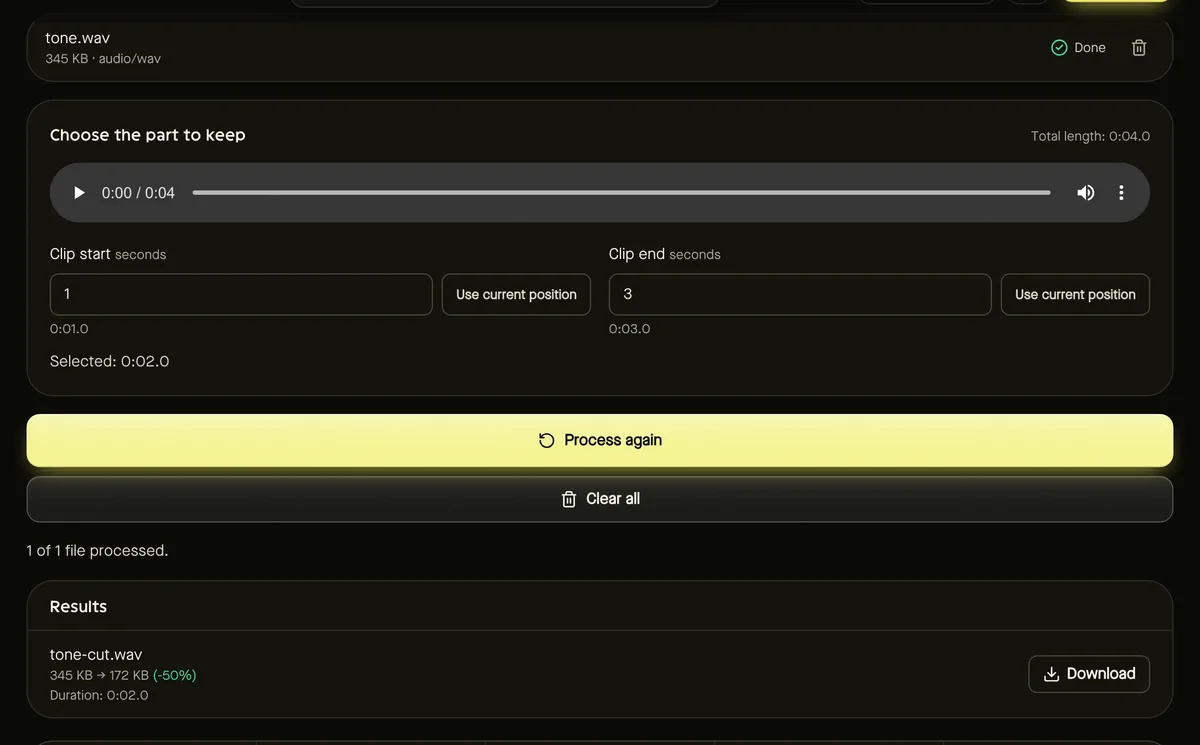
- Step 2: Play it and find the part you want — a chorus or recognisable hook works best.
- Step 3: Set Clip start and Clip end, keeping the clip short: around 20–30 seconds for a ringtone, 1–5 seconds for a notification.
- Step 4: Click Start and download the trimmed file.
Convert to the right format
The cutter keeps your file's original format. Android phones happily use MP3, so if your clip is something else, convert it with the Audio converter at 128–192 kbps.
Set it on Android
Copy the MP3 to your phone (for example to the Ringtones or Notifications folder), then open Settings → Sound and choose it as your ringtone. Exact menu names vary by manufacturer; some phones let you pick any audio file directly from the ringtone menu.
Set it on iPhone
iPhones use a special ringtone format (.m4r), which this tool doesn't create. The usual approach is to make an M4A clip under 30 seconds with the Audio converter, then import it as a ringtone with Apple's GarageBand app on the phone, or rename and sync it through Finder or iTunes on a computer. Follow Apple's current instructions, as the steps change between versions.
Use audio you have the right to use
Using a clip of music you own on your own phone is generally fine for personal use. Don't redistribute ringtones made from copyrighted music. Your own recordings — a child's laugh, a pet, a voice memo — make unique and safe ringtones.
Frequently asked questions
How long should a ringtone be?
Around 20–30 seconds is plenty; it loops while ringing. Notification sounds work best at 1–5 seconds.
Can I make a ringtone from a video?
Yes. Extract the audio with the Audio converter first, then trim it.
Is my audio uploaded?
No. Trimming and conversion happen in your browser.