Last updated · 2 min read
How to cut an MP3 or any audio file online
Whether it's a ringtone, the useful minute of a long voice memo, or a clip for a presentation, trimming audio is a quick job when you can listen and set the start and end precisely. This guide shows how, and explains how the format of your file affects the result.
Cut audio step by step
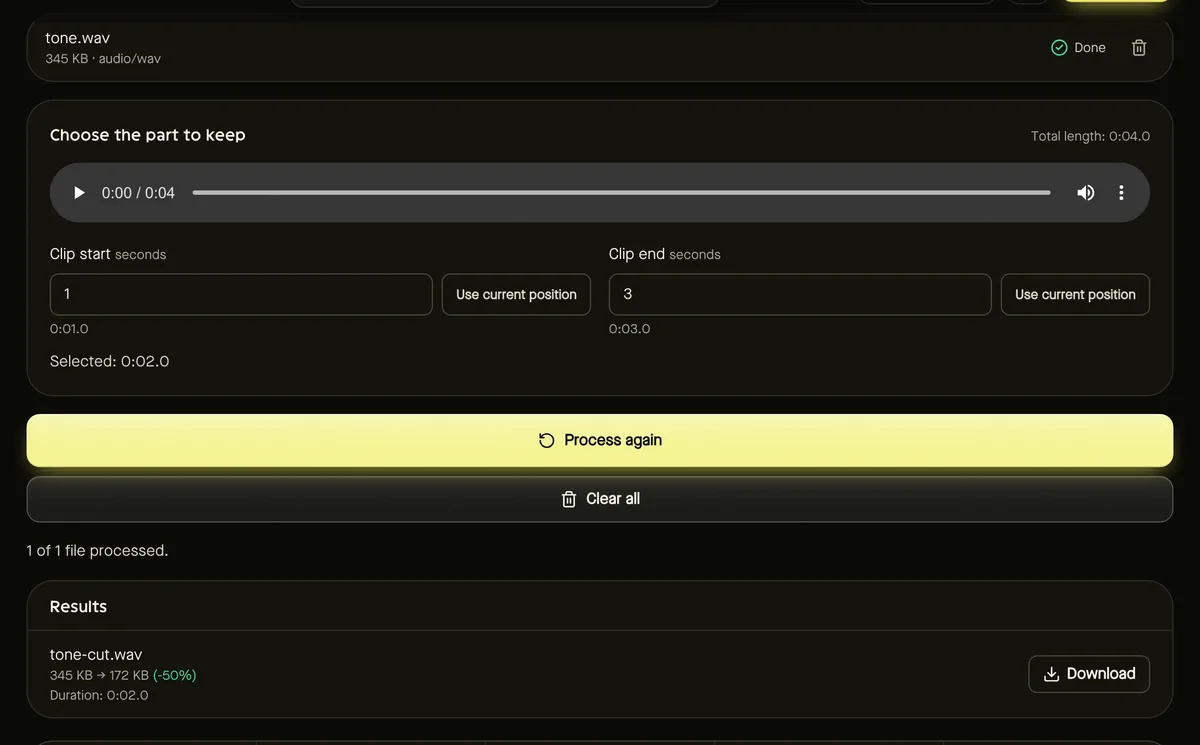
- Step 1: Open Audio cutter and add an MP3, WAV, M4A, AAC, OGG or FLAC file (up to 200 MB).
- Step 2: Play the audio with the built-in player.
- Step 3: Pause where the clip should start and click Use current position under Clip start; do the same for Clip end. Or type the times in seconds.
- Step 4: Check the Selected length, then click Start.
- Step 5: Download the trimmed file — it keeps the original format.
Does cutting reduce quality?
It depends on the format. WAV is uncompressed and is cut without any loss. Compressed formats such as MP3 and M4A are stored in small blocks, so to start and end exactly where you chose, the audio may be re-encoded. The difference is very small, but if you plan to edit repeatedly, keep the original as your master copy.
Ideas for using the cutter
- Ringtones and alerts: keep a short, recognisable section.
- Voice notes and interviews: remove silence and small talk at the start and end.
- Podcast clips: share a highlight on social media.
- Presentations: embed only the seconds you need, keeping files small.
Changing the format afterwards
The cutter keeps the original format. If you need MP3 for compatibility, or WAV for editing, run the result through the Audio converter — see how to convert audio to MP3.
Frequently asked questions
My browser can't play the preview — can I still cut the file?
Yes. Type the start and end times in seconds. The cut is done by the tool's own processing, not the preview player.
Can I cut a video's soundtrack?
Extract the audio first with the Audio converter, then cut the resulting audio file.
Is my audio uploaded?
No. Trimming happens in your browser.